Ctrl+K
C740 User Manual - Home C740 User Manual - Home
  • System Settings
  • Power management
  • Feedback Indicators
  • wired mode
  • wireless mode
  • Bluetooth Mode
  • Keyboard Settings
  • Keyboard Language
  • Data Editing
  • Scan Mode
  • Module Settings
    • Engine output format
    • Engine Code ID
    • Barcode Settings
  • Appendix
中文 English Deutsch Français Italiano Español Português العربية Русский 日本語 한국어 Ελληνικά
  • Download full PDF

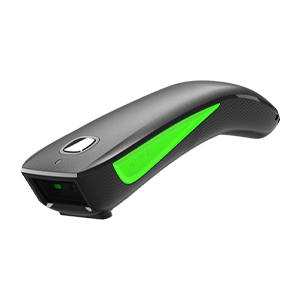
C740 Barcode Scanner User Manual

C740 Barcode Scanner User Manual#

  • System Settings
    • Read firmware version
    • Restore Factory Defaults
    • working mode
  • Power management
    • Read sleep time
    • Set sleep time
    • Get scanner battery level
  • Feedback Indicators
    • Buzzer control
    • Vibration motor control
    • Buzzer sound definition
    • Indicator definition
  • wired mode
    • USB transfer method
    • USB keyboard transfer speed
    • USB HID multi-key send settings
  • wireless mode
    • Read Interface Settings
    • Wireless transmission method
    • 2.4G pairing
    • Receiver working mode
    • 2.4G transmission cache
  • Bluetooth Mode
    • Read Interface Settings
    • Bluetooth Transmission Mode
    • Bluetooth Operating Mode
    • Change Bluetooth Name
    • Clear Bluetooth HID Pairing
    • System Keyboard Functions
    • Switch between Bluetooth and 2.4G by pressing and holding for 8 seconds
    • Bluetooth keyboard transmission speed
    • Bluetooth connection status non-sleep setting
  • Keyboard Settings
    • HID Keyboard General Setting
    • Keyboard language settings
  • Keyboard Language
    • Read the current keyboard layout
  • Data Editing
    • Prefix/Suffix and Hidden Character Settings
  • Scan Mode
    • Barcode Decode Mode
  • Module Settings
    • Engine output format
    • Engine Code ID
    • Barcode Settings
  • Appendix
    • Character Reference Table

next

System Settings

By NETUM

© Copyright 2026, NETUM All rights reserved..