Anhang#
1D-Symbologien#
Symbology |
AIM |
HS7 |
||
|---|---|---|---|---|
ID |
Mögliche Modifikatoren |
ID |
Hex |
|
All Symbologies |
99 |
|||
Codabar |
]Fm |
0-1 |
a |
61 |
Code 11 |
]H3 |
h |
68 |
|
Code 128 |
]Cm |
0, 1, 2, 4 |
j |
6A |
Code 32 Pharmaceutical (PARAF) |
]X0 |
< |
3C |
|
Code 39 (supports Full ASCII mode) |
]Am |
0, 1, 3, 4, |
b |
62 |
TCIF Linked Code 39 (TLC39) |
]L2 |
T |
54 |
|
Code 93 and 93i |
]Gm |
0-9, A-Z, a-m |
i |
69 |
EAN |
]Em |
0, 1, 3, 4 |
d |
64 |
EAN-13 (including Bookland EAN) |
]E0 |
d |
64 |
|
EAN-13 with Add-On |
]E3 |
d |
64 |
|
EAN-13 with Extended Coupon Code |
]E3 |
d |
64 |
|
EAN-8 |
]E4 |
D |
44 |
|
EAN-8 with Add-On |
]E3 |
D |
44 |
|
GS1 |
||||
GS1 DataBar |
]em |
0 |
y |
79 |
GS1 DataBar Limited |
]em |
{ |
7B |
|
GS1 DataBar Expanded |
]em |
} |
7D |
|
GS1-128 |
]C1 |
I |
49 |
|
2 of 5 |
||||
China Post (Hong Kong 2 of 5) |
]X0 |
Q |
51 |
|
Interleaved 2 of 5 |
]Im |
0, 1, 3 |
e |
65 |
Matrix 2 of 5 |
]X0 |
m |
6D |
|
NEC 2 of 5 |
]X0 |
Y |
59 |
|
Straight 2 of 5 IATA |
]Rm |
0, 1, 3 |
f |
66 |
Straight 2 of 5 Industrial |
]S0 |
f |
66 |
|
MSI |
]Mm |
0, 1 |
g |
67 |
Telepen |
]Bm |
t |
74 |
|
UPC |
0, 1, 2, 3, 8, |
|||
UPC-A |
]E0 |
c |
63 |
|
UPC-A with Add-On |
]E3 |
c |
63 |
|
UPC-A with Extended Coupon Code |
]E3 |
c |
63 |
|
UPC-E |
]E0 |
E |
45 |
|
UPC-E with Add-On |
]E3 |
E |
45 |
|
UPC-E1 |
]X0 |
E |
45 |
|
Add HS7 Code ID |
5C |
|||
Add AIM Code ID |
5C |
|||
Add Backslash |
5C |
|||
Batch Mode Quantity |
5 |
35 |
2D-Symbologien#
Symbology |
AIM |
HS7 |
||
|---|---|---|---|---|
ID |
Mögliche Modifikatoren |
ID |
Hex |
|
All Symbologies |
99 |
|||
Aztec Code |
]zm |
0-9, A-C |
z |
7A |
Chinese Sensible Code (Han Xin Code) |
]X0 |
H |
48 |
|
Codablock A |
]O6 |
0, 1, 4, 5, 6 |
V |
56 |
Codablock F |
]Om |
0, 1, 4, 5, 6 |
q |
71 |
Code 49 |
]Tm |
0, 1, 2, 4 |
l |
6C |
Data Matrix |
]dm |
0-6 |
w |
77 |
GS1 |
]em |
0-3 |
y |
79 |
GS1 Composite |
]em |
0-3 |
y |
79 |
GS1 |
]em |
0-3 |
y |
79 |
MaxiCode |
]Um |
0-3 |
x |
78 |
PDF417 |
]Lm |
0-2 |
r |
72 |
MicroPDF417 |
]Lm |
0-5 |
R |
52 |
QR Code |
]Qm |
0-6 |
s |
73 |
Micro QR |
]Qm |
s |
73 |
Postcodes#
Symbology |
AIM |
HS7 |
||
|---|---|---|---|---|
ID |
Mögliche Modifikatoren |
ID |
Hex |
|
All Symbologies |
99 |
|||
Australian Post |
]X0 |
A |
41 |
|
British Post |
]X0 |
B |
42 |
|
Canadian Post |
]X0 |
C |
43 |
|
China Post |
]X0 |
Q |
51 |
|
InfoMail |
]X0 |
, |
2c |
|
Intelligent Mail Bar Code |
]X0 |
M |
4D |
|
Japanese Post |
]X0 |
J |
4A |
|
KIX (Netherlands) Post |
]X0 |
K |
4B |
|
Korea Post |
]X0 |
? |
3F |
|
Planet Code |
]X0 |
L |
4C |
|
Postal-4i |
]X0 |
N |
4E |
|
Postnet |
]X0 |
P |
50 |
ASCII-Konvertierungstabelle#
Hexadezimal |
Dezimal |
Zeichen |
|---|---|---|
00 |
0 |
NUL (Nullzeichen) |
01 |
1 |
SOH (Anfang des Headers) |
02 |
2 |
STX (Anfang des Textes) |
03 |
3 |
ETX (Ende des Textes) |
04 |
4 |
EOT (Ende der Übertragung) |
05 |
5 |
ENQ (Anfrage) |
06 |
6 |
ACK (Bestätigung) |
07 |
7 |
BEL (Glocke) |
08 |
8 |
BS (Rücktaste) |
09 |
9 |
HT (horizontale Registerkarte) |
0a |
10 |
LF (Zeilenvorschub) |
0b |
11 |
VT (vertikale Registerkarte) |
0c |
12 |
FF (Formularvorschub) |
0d |
13 |
CR (Wagenrücklauf) |
0e |
14 |
SO (Ausschalten) |
0f |
15 |
SI (Einschalten) |
10 |
16 |
DLE (Data Link Escape) |
11 |
17 |
DC1 (XON) (Gerätesteuerung 1) |
12 |
18 |
DC2 (Gerätesteuerung 2) |
13 |
19 |
DC3 (XOFF) (Gerätesteuerung 3) |
14 |
20 |
DC4 (Gerätesteuerung 4) |
15 |
21 |
NAK (Negative Bestätigung) |
16 |
22 |
SYN (synchroner Leerlauf) |
17 |
23 |
ETB (Ende des Trans.-Blocks) |
18 |
24 |
CAN (Abbrechen) |
19 |
25 |
EM (Ende des Mediums) |
1a |
26 |
SUB (Ersatz) |
1b |
27 |
ESC (Flucht) |
1c |
28 |
FS (Dateitrenner) |
1d |
29 |
GS (Gruppentrenner) |
1e |
30 |
RS (Anfrage zum Senden) |
1f |
31 |
US (Einheitentrennzeichen) |
20 |
32 |
SP (Leerzeichen) |
21 |
33 |
! (Ausrufezeichen) |
22 |
34 |
„ (Doppeltes Anführungszeichen) |
23 |
35 |
# (Number Sign) |
24 |
36 |
$ (Dollarzeichen) |
25 |
37 |
% (Percent) |
26 |
38 |
& (kaufmännisches Und) |
27 |
39 |
` (Einfaches Anführungszeichen) |
28 |
40 |
((Rechte / schließende Klammer) |
29 |
41 |
) (Rechts / schließende Klammer) |
2a |
42 |
* (Asterisk) |
2b |
43 |
+ (Plus) |
2c |
44 |
, (Komma) |
2d |
45 |
– (Minus/Strich) |
2e |
46 |
. (Punkt) |
2f |
47 |
/ (Schrägstrich) |
30 |
48 |
0 |
31 |
49 |
1 |
32 |
50 |
2 |
33 |
51 |
3 |
34 |
52 |
4 |
35 |
53 |
5 |
36 |
54 |
6 |
37 |
55 |
7 |
38 |
56 |
8 |
39 |
57 |
9 |
3a |
58 |
: (Doppelpunkt) |
3b |
59 |
; (Semikolon) |
3c |
60 |
< (Kleiner als) |
3d |
61 |
= (Gleichheitszeichen) |
3e |
62 |
> (Greater Than) |
3f |
63 |
? (Fragezeichen) |
40 |
64 |
@(AT-Symbol) |
41 |
65 |
A |
42 |
66 |
B |
43 |
67 |
C |
44 |
68 |
D |
45 |
69 |
E |
46 |
70 |
F |
47 |
71 |
G |
48 |
72 |
H |
49 |
73 |
I |
4a |
74 |
J |
4b |
75 |
K |
4c |
76 |
L |
4d |
77 |
M |
4e |
78 |
N |
4f |
79 |
O |
50 |
80 |
P |
51 |
81 |
Q |
52 |
82 |
R |
53 |
83 |
S |
54 |
84 |
T |
55 |
85 |
U |
56 |
86 |
V |
57 |
87 |
W |
58 |
88 |
X |
59 |
89 |
Y |
5a |
90 |
Z |
5b |
91 |
[(Linke/öffnende Klammer) |
5c |
92 |
\ (Backslash) |
5d |
93 |
] (Rechte/schließende Klammer) |
5e |
94 |
^ (Caret/Zirkumflex) |
5f |
95 |
_ (Unterstrich) |
60 |
96 |
‚ (schwerer Akzent) |
61 |
97 |
a |
62 |
98 |
b |
63 |
99 |
c |
64 |
100 |
d |
65 |
101 |
e |
66 |
102 |
f |
67 |
103 |
g |
68 |
104 |
h |
69 |
105 |
i |
6a |
106 |
j |
6b |
107 |
k |
6c |
108 |
l |
6d |
109 |
m |
6e |
110 |
n |
6f |
111 |
o |
70 |
112 |
p |
71 |
113 |
q |
72 |
114 |
r |
73 |
115 |
s |
74 |
116 |
t |
75 |
117 |
u |
76 |
118 |
v |
77 |
119 |
w |
78 |
120 |
x |
79 |
121 |
y |
7a |
122 |
z |
7b |
123 |
{ (Linke/öffnende Klammer) |
7c |
124 |
| (Vertikaler Balken) |
7d |
125 |
} (Rechte/schließende Klammer) |
7e |
126 |
~ (Tilde) |
7f |
127 |
DEL (Löschen) |
Barcode-Beispiel#
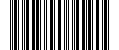
Beispielinhalt: „1234567890“.#
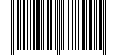
Beispielinhalt: „0012345678905“.#

Beispielinhalt: „A13579B“.#

Beispielinhalt: „BC321“.#
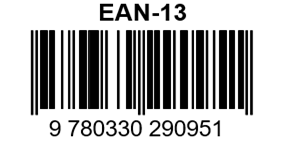
Beispielinhalt: „9780330290951“.#

Beispielinhalt: „Code 128“.#

Beispielinhalt: „123456-9$“.#
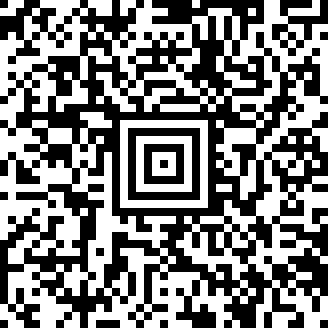
Beispielinhalt: „Paket #98765-43210

Beispielinhalt: „01234567“.#
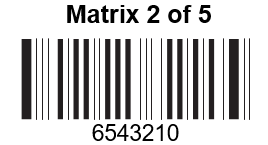
Barcode-Beispielbild#
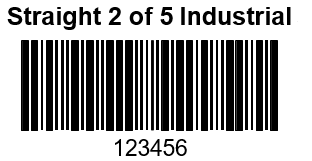
Barcode-Beispielbild#

Beispielinhalt: „(01)00123456789012“.#
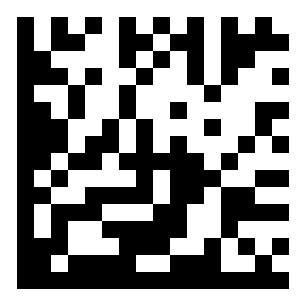
Beispielinhalt: „Testsymbol“.#
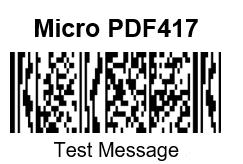
Barcode-Beispielbild#
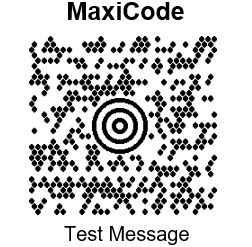
Barcode-Beispielbild#
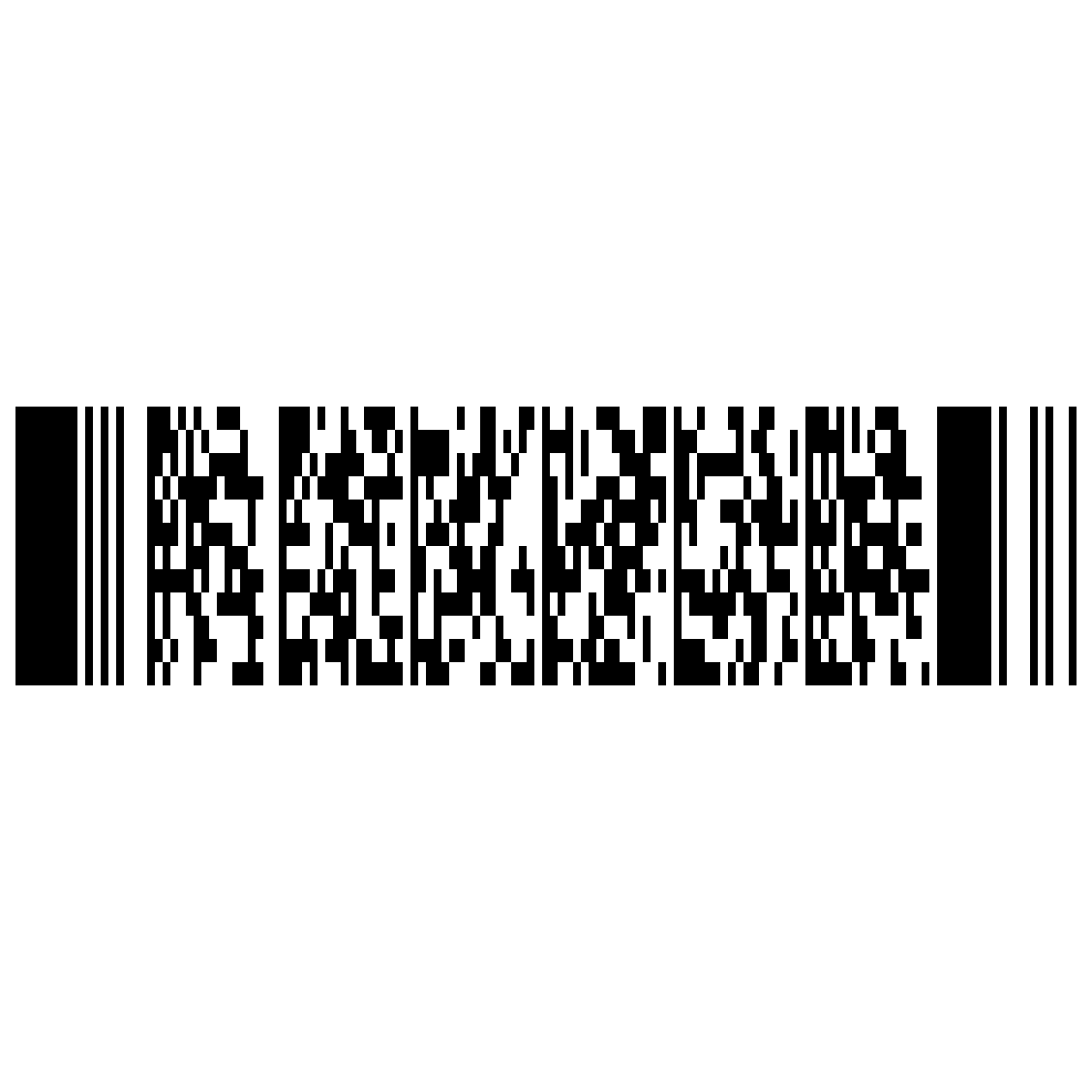
Beispielinhalt: „1998 Chev Blazer
Anhangdiagramme#

0#

1#

2#

3#

4#

5#

6#

7#

8#

9#

A#

B#

C#

D#

E#

F#

Speichern#

Abbrechen#
Bemerkung
Wenn beim Scannen von Buchstaben oder Zahlen ein Fehler auftritt (vor dem Scannen des Barcodes „Speichern“), scannen Sie den Barcode „Abbrechen“, scannen Sie die richtigen Buchstaben oder Zahlen erneut und scannen Sie dann den Barcode „Speichern“.
Tastaturbedienung ASCII-Konvertierung#
Hexadezimal |
Dezimal |
CTRL+X |
Beschreibung |
|
|---|---|---|---|---|
00 |
0 |
CTRL+@ |
||
01 |
1 |
CTRL+A |
Alles auswählen |
|
02 |
2 |
CTRL+B |
fett |
|
03 |
3 |
CTRL+C |
Kopie |
|
04 |
4 |
CTRL+D |
-Schriftformat |
|
05 |
5 |
CTRL+E |
Mittig ausgerichtet |
|
06 |
6 |
CTRL+F |
Finden |
|
07 |
7 |
CTRL+G |
Positionierung |
|
08 |
8 |
CTRL+H |
Ersatz |
|
09 |
9 |
CTRL+I |
kursiv |
|
0a |
10 |
CTRL+J |
ausgerichtet |
|
0b |
11 |
CTRL+K |
-Hyperlink |
|
0c |
12 |
CTRL+L |
linksbündig |
|
0d |
13 |
CTRL+M |
linker Einzug |
|
0e |
14 |
CTRL+N |
Neu |
|
0f |
15 |
CTRL+O |
Öffnen |
|
10 |
16 |
CTRL+P |
||
11 |
17 |
CTRL+Q |
||
12 |
18 |
CTRL+R |
rechtsbündig |
|
13 |
19 |
CTRL+S |
Speichern |
|
14 |
20 |
CTRL+T |
Einzug der ersten Zeile |
|
15 |
21 |
CTRL+U |
Unterstrich |
F12 |
16 |
22 |
CTRL+V |
Einfügen |
F1 |
17 |
23 |
CTRL+W |
Schreibplatte geschlossen |
F2 |
18 |
24 |
CTRL+X |
Schnitt |
F3 |
19 |
25 |
CTRL+Y |
Wiederholen |
F4 |
1a |
26 |
CTRL+Z |
Rückgängig machen |
F5 |
1b |
27 |
CTRL+[ |
F6 |
|
1c |
28 |
CTRL+\ |
F7 |
|
1d |
29 |
CTRL+] |
F8 |
|
1e |
30 |
CTRL+^ |
F9 |
|
1f |
31 |
CTRL+- |
F10 |
|
7f |
32 |
CTRL+ |